SMS consent in Crewbase
Crewbase is operated by BandWagon Ltd. Invited users can choose optional operational text notifications in their own account. The enrollment form is behind sign-in; the screenshots below show the initial optional consent form and a saved permission example.
How users opt in
- Sign in to Crewbase and enter or review the mobile number during onboarding or in Portal → Profile.
- Read the SMS disclosure and choose the separate, optional consent checkbox. New onboarding consent starts unchecked. The profile displays the user’s existing saved choice.
- Submit onboarding or select Save text preference. Consent is recorded for the current mobile number. Changing the number requires new consent.
- Choose notification categories separately. Text alerts for new messages and four-hour reminders start off.
Message frequency varies. Message and data rates may apply. Reply STOP to opt out or HELP for assistance. Consent is optional and is not a condition of employment. Email and in-app schedule information remain available without SMS consent.
After saving SMS consent in Portal → Profile, the app displays: “Text permission saved for your current mobile number. Delivery depends on SMS setup and your notification choices.” This is an in-app confirmation; no automatic welcome SMS is sent.
Onboarding: unchecked by default
Users enter or review their mobile number and choose a separate SMS consent checkbox. It starts unchecked and is not required to complete onboarding.
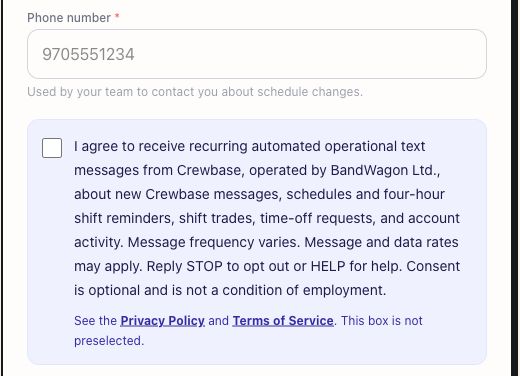
View the full onboarding form screenshot
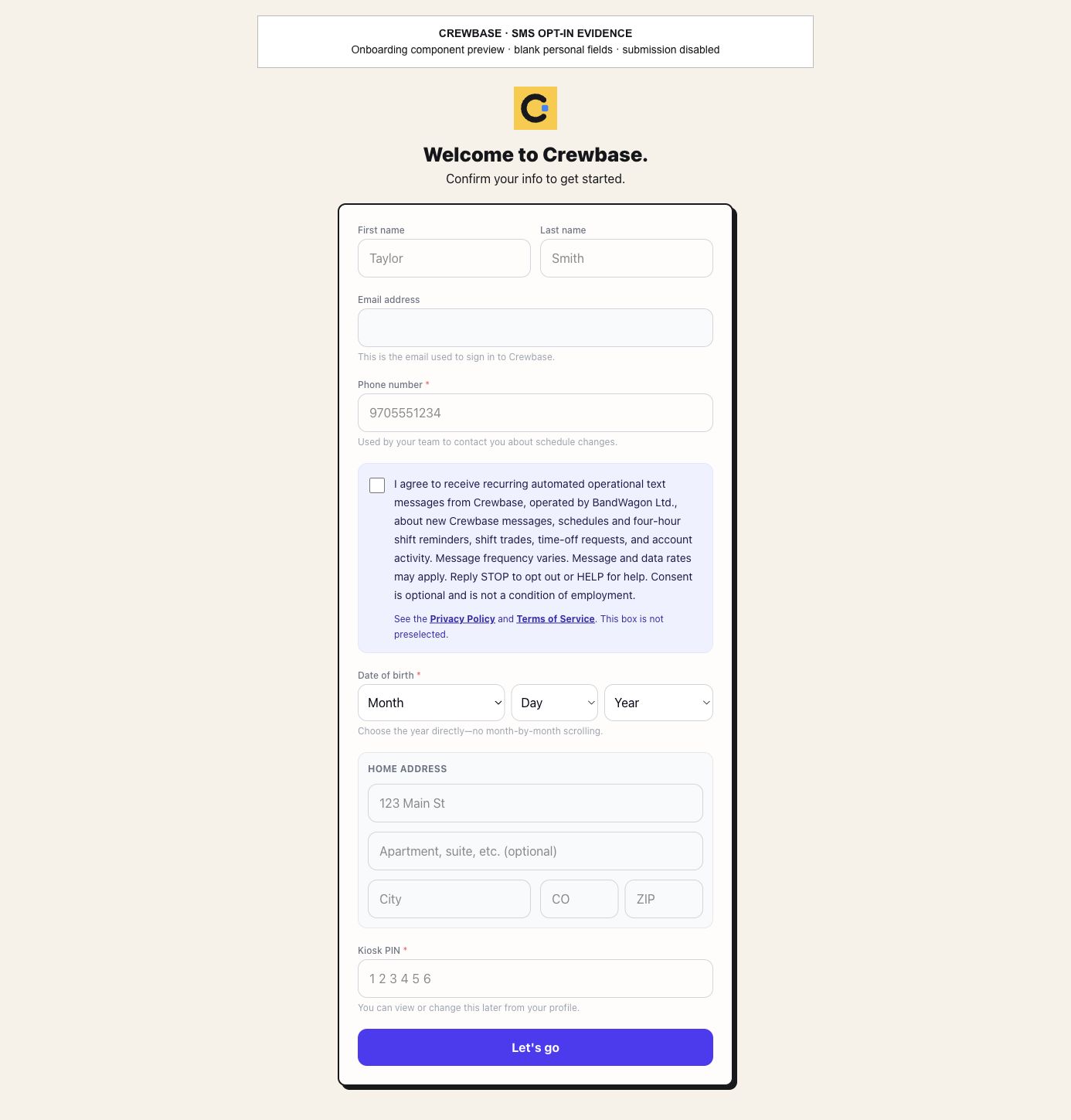
These preview screenshots demonstrate the initial form, not a new production enrollment or proof of delivery. They contain no employee personal information.
Profile: an existing saved choice
The disclosure identifies Crewbase and BandWagon Ltd., describes the operational messages, and includes Privacy Policy and Terms of Service links.
Disclosure shown in the form
I agree to receive recurring automated operational text messages from Crewbase, operated by BandWagon Ltd., about new Crewbase messages, schedules and four-hour shift reminders, shift trades, time-off requests, and account activity. Message frequency varies. Message and data rates may apply. Reply STOP to opt out or HELP for help. Consent is optional and is not a condition of employment.
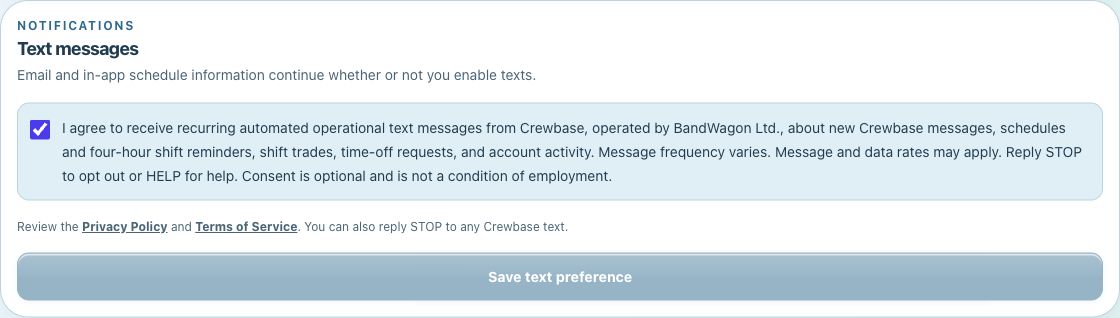
Saved permission status
The notification settings show whether text permission is saved for the current mobile number and let users select message categories independently.
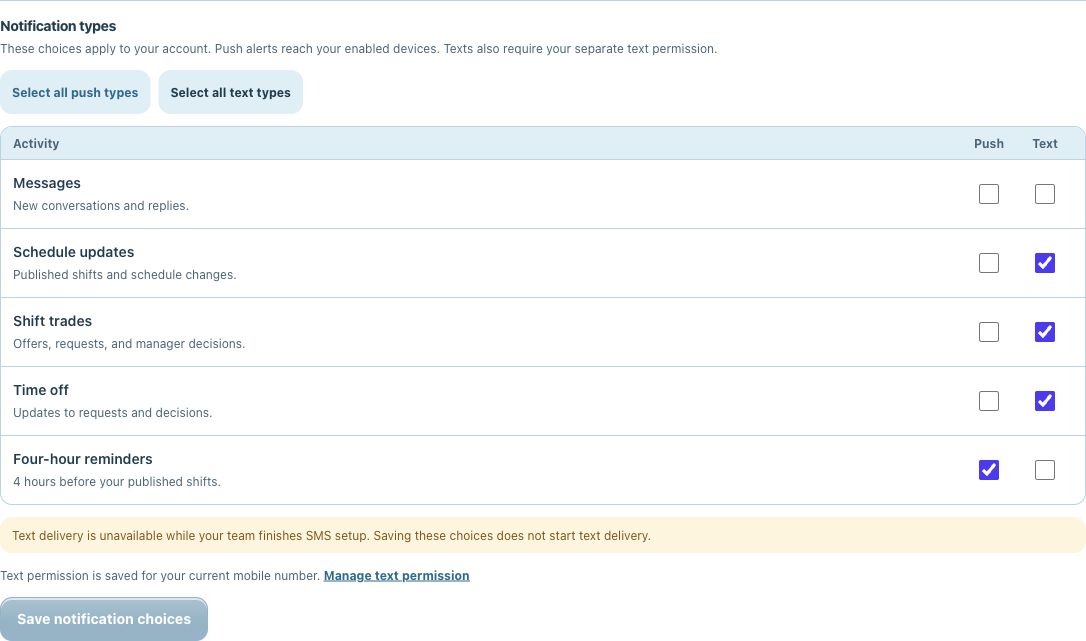
The onboarding preview shows the initial unchecked choice. The older profile captures show an existing saved choice and permission status. No production preference was changed to create these captures.